


What The Forecast
4.05.83K Reviews
App Specs
- Version
- 3.95.4.578
- Updated On
- License
- Free
- Downloads
- 5,000,000+
- Developer
- Affiliated Apps LLC
- Categories
- Weather
- Platform
- Android, iOS
Screenshots
 Analysis by AppCompare
I tend to check the weather in small, practical moments: before leaving home, while deciding what to wear, or when I need to know whether an errand can wait. What The Forecast makes that routine less dull by pairing weather information with a deliberately irreverent voice. The jokes are the app’s hook, but a useful weather check still has to help me make a decision; I treat the comedy as a bonus, not a substitute for reading the conditions.
A dependable routine, with a different tone
My best way to use a weather app like this is to make the first check quick: look at the current conditions, then scan the next few hours if I have plans. A funny line can make me pause, but the practical question is still whether rain, wind, or uncomfortable temperatures will affect what I’m doing. That simple habit keeps the app entertaining without letting its personality distract from the forecast.
For example, if I’m heading out for a morning commute and have an outdoor errand later, I’d check the current weather first and then look ahead before deciding what to carry. A forecast can help me choose a jacket or adjust the timing of a walk, but I wouldn’t treat any single glance as a guarantee. Conditions change, so checking again before a plan that depends on the weather is a sensible habit.
That distinction matters because humor is not the same thing as accuracy. The app’s voice may make an ordinary check more enjoyable, but I still read the actual weather details and alerts rather than relying on a punchline to tell me what to do. If the weather could affect travel or safety, I’d take the practical information seriously and use good judgment.
Funny and Informative Forecasts
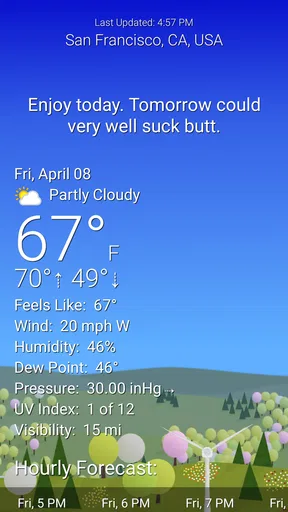
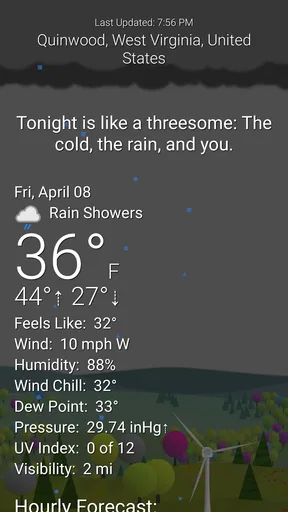
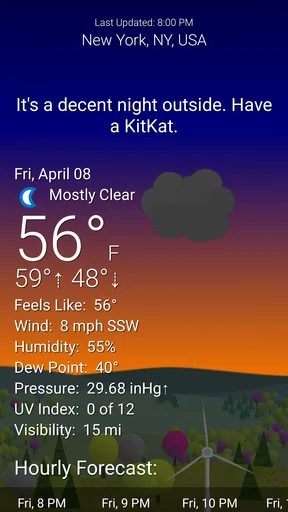
The moment you open What The Forecast, you’re greeted with weather predictions that are not only accurate but also hilariously blunt. Instead of a simple "It's raining," you might get something like, "It's raining. Because, of course, it is. Why wouldn’t it be?" These forecasts come with a side of sarcasm, making checking the weather an entertaining part of your day.
Now, don't let the humor fool you. The app is powered by reliable weather data, ensuring that the forecasts are spot-on. So while you're giggling at the snarky comments, rest assured that you're getting accurate information about what to expect from Mother Nature.
Features That Stand Out
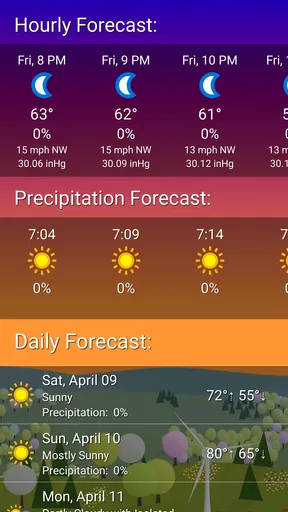
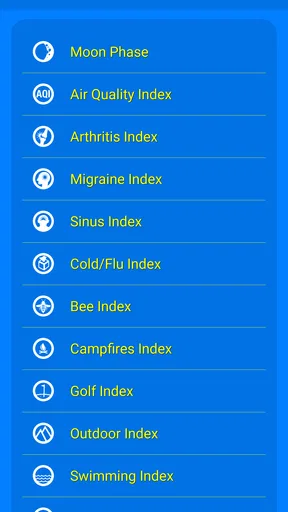
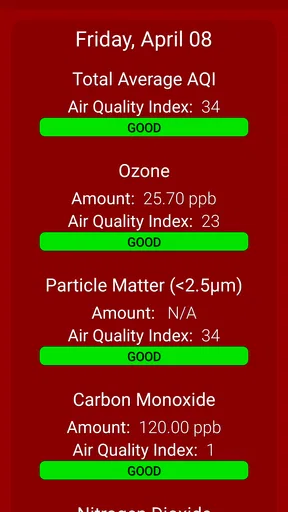
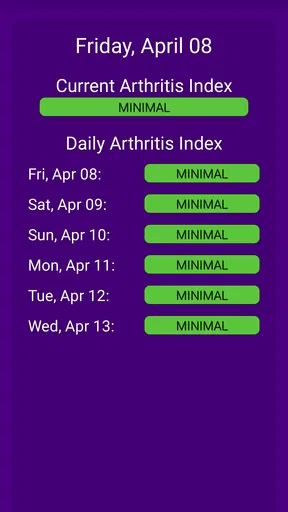
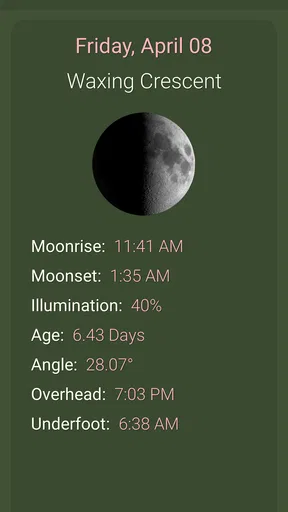
Beyond the humor, What The Forecast is packed with features that make it a solid weather app. You’ll find a detailed 7-day forecast, hourly updates, and real-time weather alerts. The app also includes comprehensive information about wind speed, humidity, visibility, and more, ensuring you’re fully prepared for any weather scenario.
Worth Reading Before You Choose

EA SPORTS FC Mobile 26 Is a Bigger Football Game, but It Takes Time

Flipboard Shows What News Apps Must Do Beyond the Feed

Switching to Android Auto Means Rethinking Your Driving Routine

Google Calendar Makes a Crowded Week Easier to Manage

Ludo King Makes the Most of the Minutes Between Plans

Baby Panda World Brings Quick Play to Modern Phones, but Its Game Library Feels Busy
One feature that I found particularly useful is the "Feels Like" temperature. Sometimes the actual temperature doesn't tell the whole story, especially if there's a biting wind or high humidity. This feature lets you know exactly how the weather will feel, so you can dress accordingly.
Settings that make the humor fit
The app is made by Byzantine Apps LLC, and its cheeky approach will not suit every household or every moment. Its age rating is Mature 17+, an important detail if you’re choosing a weather app for a younger user or plan to leave the screen visible around children. I’d also be cautious about opening it in a setting where blunt language would feel out of place.
What The Forecast allows you to customize the language settings to suit your humor threshold. Whether you want the app to keep it PG or let loose with some colorful language, the choice is yours. This level of personalization ensures that every user can enjoy the app in a way that fits their personality.
You can also select from different themes and adjust the settings to display the weather information that’s most important to you. For someone like me who dreads the heat, being able to prioritize temperature info is a game-changer.
Settings worth checking before settling in
I’d start by choosing a language level you’re comfortable seeing in everyday situations, then set the display around the information you actually use. If I mainly care about whether a walk will feel muggy or cold, I’d give temperature and the “Feels Like” reading priority; if wind changes my plans, I’d make a habit of looking at that detail too. The useful customization is not simply making the app funnier or milder—it is reducing the time between opening it and finding the answer I need.
It is worth thinking about who might see your screen as well. A more restrained language setting is the safer choice when checking the forecast at work, around family, or while handing your phone to someone else. The Mature 17+ rating is a clear reason not to assume the default experience is appropriate for every audience. I’d make that choice early rather than discovering an awkward line in the wrong place.
Faster checks for repeat plans
The app supports switching between locations, which is useful if your day crosses more than one place. I’d check the destination before leaving rather than assuming the weather at home applies across town or to a later stop. For a routine commute, a repeatable pattern—current conditions, the hours around departure, then a quick destination check—can be more useful than repeatedly browsing every available detail.
For outdoor plans, I’d use the longer forecast to spot whether a day looks worth keeping open, then return to the hourly view closer to the time. That is a practical trade-off: the week view helps with broad planning, while near-term checks are better suited to deciding when to leave or whether to bring an extra layer. Notifications can help draw attention to changing conditions, but I wouldn’t turn every alert into a reason to stop checking the forecast myself.
There is no need to make the app a complicated dashboard. I’d settle on a theme and a small set of details, then keep the same quick-check routine. That makes the humor a pleasant part of a habit rather than an extra step between me and the information.
Customization and Personalization
What The Forecast allows you to customize the language settings to suit your humor threshold. Whether you want the app to keep it PG or let loose with some colorful language, the choice is yours. This level of personalization ensures that every user can enjoy the app in a way that fits their personality.
You can also select from different themes and adjust the settings to display the weather information that’s most important to you. For someone like me who dreads the heat, being able to prioritize temperature info is a game-changer.
Where it fits among weather apps
Compared with the usual weather apps that put a restrained forecast first, this one gives the wording and personality a more prominent role. If you already have a plain, familiar weather app that you trust, What The Forecast can be a more entertaining way to make the same everyday check; it does not have to replace every tool on your phone. I’d keep a conventional source in reach if I needed a calmer presentation or wanted to compare information before making a weather-sensitive decision.
That makes it a better fit for people who enjoy sarcasm and want weather details presented with a bit of character. It is less suitable for someone who wants a completely neutral interface, dislikes coarse language, or needs a screen that is appropriate for children without careful settings. Travelers who depend on weather information for consequential decisions should prioritize clear, current conditions and alerts over any app’s comic delivery.
The free price makes it easy to try, while in-app purchases range from $1.99 to $19.99 per item. I’d begin with the free experience and decide whether the app’s style and everyday usefulness earn a place in my routine before considering a purchase. Its average rating is 4.0 from around 14,000 ratings, and it has over 5 million installs; that gives a sense of its reach, but personal tolerance for its humor is a better guide to whether it will suit you.
User Experience and Interface
The interface is clean and user-friendly, making navigation a breeze. Even if you’re not tech-savvy, you’ll find it easy to access the information you need. The design is simple yet effective, with all the essential details clearly laid out without clutter.
The app’s layout is intuitive, and I particularly appreciate the way it integrates humor without overwhelming the actual data. You can easily switch between different locations, check future forecasts, and set up notifications with minimal fuss.
Practical limits and a considered verdict
The main limitation is also part of the appeal: the app’s voice is strong, and some people will find it funny while others will find it tiresome. Even a customizable language level does not turn a joke-led weather experience into a fully neutral one. If you only want a quiet glance at temperatures, or need to share the screen in a professional setting, a standard weather app may be the less distracting choice.
I would also avoid treating a long-range outlook as a firm promise. Use it to think ahead, then revisit the hourly details as plans get closer; for travel or outdoor commitments, check again before you set off. Alerts can be helpful, but a notification is a prompt to look, not a replacement for deciding whether current conditions are safe for your particular plan.
The app is free to download, is rated Mature 17+, and runs on Android starting with version 8.0. Its current version is 3.95.4.578. I’d consider those practical details alongside the tone: the age rating matters in shared-device households, while the humor setting and display choices are the first things I’d adjust after installing it. The release date was March 31, 2017, and its continued appeal depends less on novelty than on whether you enjoy this particular way of checking the weather.
Conclusion: A Weather App With Personality
In a sea of weather apps that often feel too technical or plain, What The Forecast stands out by bringing humor and personality to the forefront. It’s not just about checking the weather; it’s about enjoying the experience while you do it. Whether you’re planning your day or just need a quick laugh, this app delivers on both fronts.
So, if you're looking for a weather app that's both reliable and entertaining, look no further. With its unique blend of accurate forecasts and comedic flair, What The Forecast might just become your new favorite way to check the weather.
Who I’d recommend it to
I’d recommend it to adults who check the forecast several times a day, appreciate blunt humor, and want a little personality without giving up practical details such as hourly conditions, wind, and humidity. It works best when you build a modest routine around it: choose a comfortable language setting, make the key weather details easy to scan, and check again when the timing or location of your plans changes.
I’d skip it if sarcastic commentary feels grating, if you need a consistently child-friendly screen, or if you prefer weather information presented without jokes. My verdict is that What The Forecast is a genuinely distinctive daily option, not a universal replacement for every weather source. Its strongest point is turning a routine check into something more enjoyable; its best use still comes from pairing that personality with sensible attention to the actual forecast.
Pros
- Hilarious weather descriptions add humor.
- Accurate forecasts with detailed info.
- Customizable notifications for alerts.
- Easy-to-use interface with smooth navigation.
- Frequent updates ensure reliability.
Cons
- Contains ads that can be intrusive.
- Limited features in the free version.
- Requires internet for full functionality.
- Some users report occasional bugs.
- Voice feature can be inconsistent.
FAQs for What The Forecast
What features does What The Forecast offer?
What The Forecast provides detailed weather forecasts with a twist of humor. Users can expect hourly and daily forecasts, weather alerts, and the ability to customize settings. The app also includes fun weather phrases and accurate meteorological data, making it both informative and entertaining.
Is What The Forecast available for both Android and iOS?
Yes, What The Forecast is available for both Android and iOS devices. Users can download it from the Google Play Store or the Apple App Store. This cross-platform availability ensures that you can enjoy its features regardless of your device type.
Does What The Forecast require an internet connection to function?
An internet connection is necessary to fetch up-to-date weather data. However, once the data is downloaded, you can view the recent forecast offline. For real-time updates and the latest information, maintaining an internet connection is recommended.
Are there in-app purchases or ads in What The Forecast?
What The Forecast is free to download and use, but it contains ads. Users have the option to make in-app purchases to remove ads and access some premium features. This helps support the developers while enhancing the user experience.
How accurate is the weather data provided by What The Forecast?
The app sources its data from reliable meteorological services, ensuring a high degree of accuracy. While no weather forecast can be perfect, users generally find What The Forecast to be reliable for planning their daily activities. Regular updates help maintain its accuracy.


